Your whole office.
One clear view.
Clients, appointments, tasks and business activity—together in one dashboard, with TAAX Ai to help you see what needs your attention.
A clearer day starts with a connected office.

One shared workspace
Keep essential tools togetherOne workspace
Essential tools, together
A clear daily overview
See what needs you nextA clear overview
See what needs you next
Connected client activity
Follow every important updateConnected activity
Keep up with client updates
TAAX Ai beside you
Turn questions into next stepsTAAX Ai beside you
Questions to next stepsMeet the Ai inside your dashboard.
Ask a question. Get a clearer starting point. TAAX Ai brings your office activity into one useful conversation.
- Get a morning briefing
- Find client files that need attention
- Review appointments and due tasks

TAAX Ai
What needs my attention today?
Your office, in one conversation.
Here’s where I’d start.
3 clients are missing documents
Review the missing items before the next step.
2 appointments need confirmation
Check your upcoming schedule and follow up.
5 tasks are due today
Keep the next action in view for your team.
Less searching.
More getting things done.
Move straight into the tools you use most. Your dashboard keeps common actions within reach.
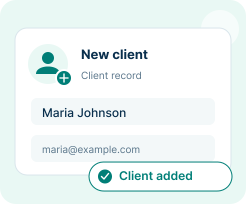
Add a new client
Start a client record and keep the next steps connected.
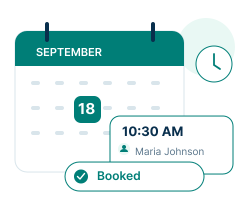
Book an appointment
Find the right service, time and team member.
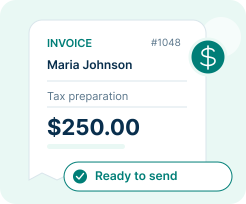
Create an invoice
Move from completed work to billing in fewer steps.
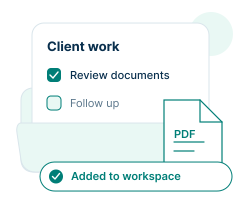
Add a task or document
Keep the team moving and client files organized.
Know who needs you.
See what's moving.
Bring client inquiries, appointment changes, document updates and team tasks into one clear view.
Keep the client context close
Follow recent activity and identify the client files that need attention.
Give each employee a focused view
Every employee has a dashboard for their own clients and appointments.
Your office, as it happens.
Maria Johnson uploaded a file
Client documents · 9:12 AM
A new document is ready for review.
James Carter's appointment is confirmed
Calendar update · 9:05 AM
Document review with your team.
A follow-up task is ready
Team activity · 8:48 AM
Review Keisha Brown's intake details.
The next conversation.
Closer to the work.
Bring client calls, video meetings and internal conversations into the same office experience.
Video meetings
See upcoming virtual appointments and move from your schedule into the meeting.
Virtual phone
Keep incoming calls, outgoing calls and client communication history close at hand.
Team chat
Share updates and documents with your team as the work moves forward.
Step away from the desk.
Stay close to your office.
Keep appointments, client updates and important tasks in view with the TAAX Pro mobile experience.
Your day, ready at a glance
See your schedule and the items that need attention before the next conversation.
A connected client experience
Clients can book, communicate and send documents through the Customer App.

See where things stand.
Decide what comes next.
Bring important business summaries into one overview, then open the details when you need them.
Revenue & balances
Review income, outstanding balances and recent payments.

Client pipeline
Track inquiries, active clients and the work moving forward.
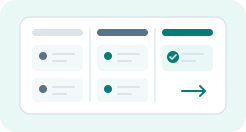
Task progress
Keep due dates, completed work and team priorities in view.
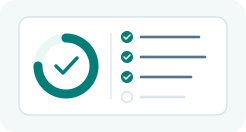
Appointments
See upcoming meetings and prepare for the next client.
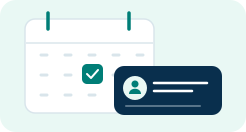
Your dashboard
questions,
answered.
Want a guided look at your connected office?
Make room for
work that moves you forward.
Bring your clients, team and tools together in TAAX Pro.